The huddle is chaos.
Luceo makes it quiet.
Bright lights, the dance team, crowd noise — every distraction fighting for your huddle’s attention. However you coach, Luceo quiets the noise and turns the huddle into a teaching moment.
What are you going to run?
Your gamecard goes digital.
Every feature built around one constraint: less than 20 seconds to make your players see it, believe it, and execute it.
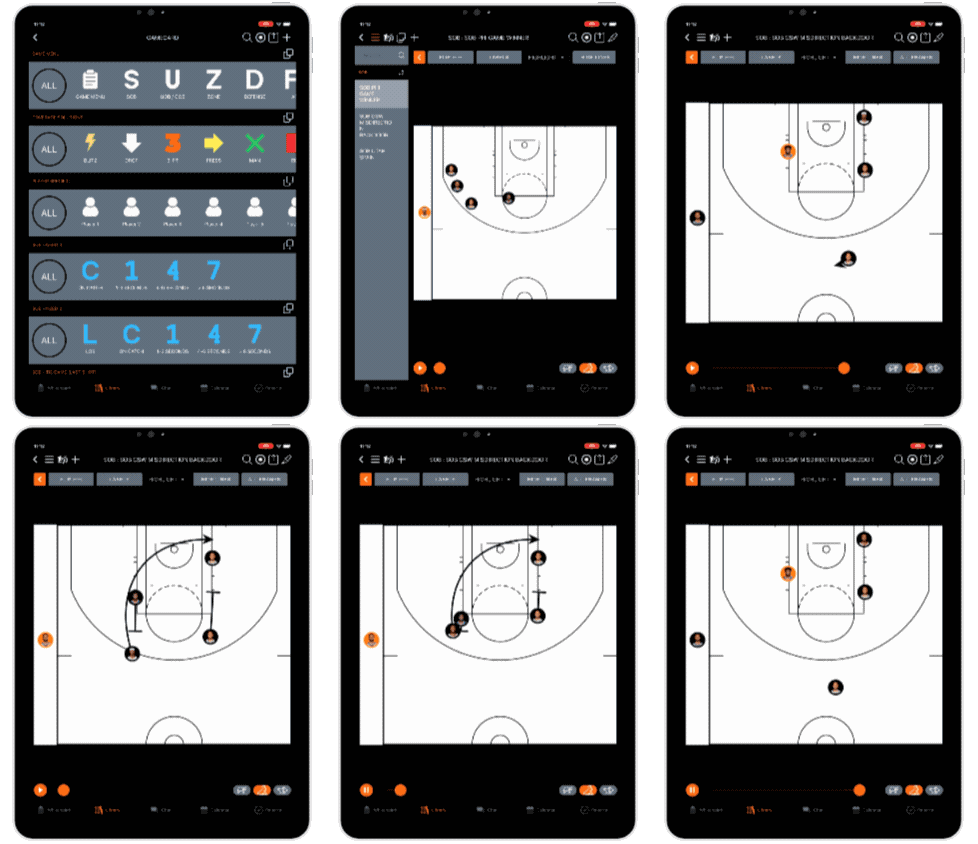
Situation-based playbook
Pull up “BLOB vs. zone, last 90 seconds, down 2” mid-timeout — without scrolling through a 200-page binder.
Immersive replay
Replay the same animation multiple times in one timeout. Clean lines and roster labels keep players immersed in their assignment, not guessing at X’s and O’s.
Pause, draw, teach
Draw over any action in real time. Adjustments without erasing the possession — the original play stays clean for the next timeout.
Just like your whiteboard
Need a play that’s not in the library yet? Live Draw lets you sketch it up exactly like your whiteboard, ready to run in seconds.
A timeout is a teaching moment.
Own the Huddle
Every second drawing is a second your players aren’t processing. Luceo means the play is already there — the huddle goes back to coaching.
Know the Read
The best ATO means nothing if your players step onto the floor guessing. Luceo puts the action in front of every player before the whistle, so they know their assignment when the ball is live.
Teaching Is Visual Now
Players read visuals before they read words. Animation and replay make plays stick the way a week of practice used to — and Luceo is part of the toolkit.
This is what the pros run.
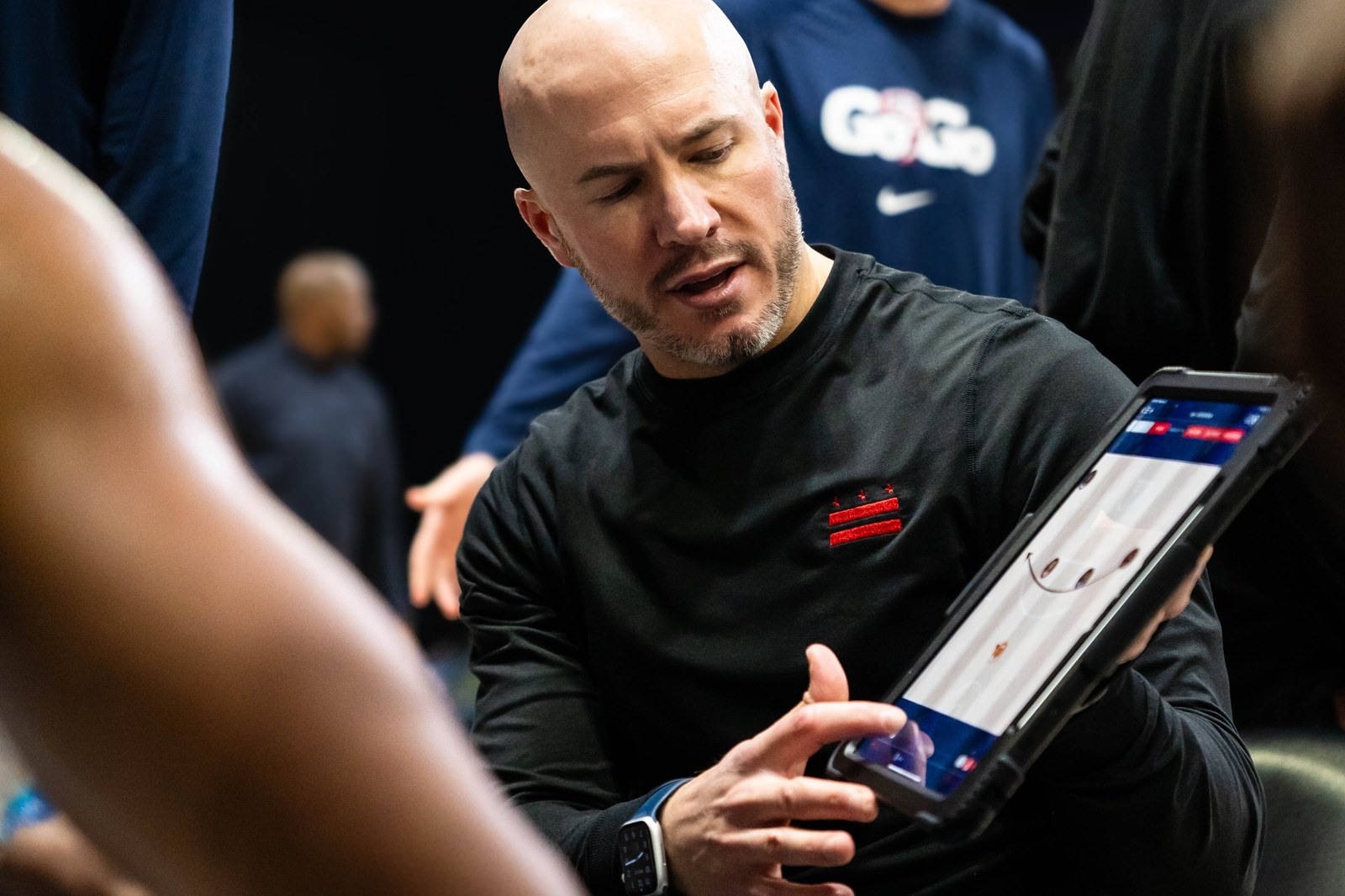
“Three years, zero whiteboards.”
“I’ve been at different levels of pro and college basketball. At Wake, in the ACC, the margins are smaller and the prep has to be tighter. Luceo is one of the places where we buy back real time — which turns into reps, which turns into clarity for our players.”
Monumental Sports Network’s own broadcast shows Washington Wizards Assistant Coach Cody Toppert drawing up and visualizing plays in real time on Luceo — the same animated playbook running through every section on this page.
Three coaching styles. One workflow for each.
Luceo doesn’t ask you to change how you coach — it adapts to it. Every head coach runs some blend of these three styles, and Luceo fits whichever one is yours with no workflow to relearn.
The “Old-School” Coach
“Never going to replace my grease board with a tablet.”
Loves the grease board — the bigger, the better. In the coaches’ huddle, they review Luceo’s animated game card so the play is fresh right before they walk out and draw it up themselves. On the bench, assistants use the same animated diagrams to teach players before they check in, saving extra timeouts over the course of a game.
The “Ready-for-Anything” Coach
“Detailed organization and preparation creates an advantage in crucial moments.”
Has a play ready for every situation and an expansive game card to match. In the huddle, they show a pre-drawn animation two to four times instead of drawing anything by hand — so their words carry the moment, and the repetition does the reinforcing within the 30-second window.
The “Whiteboard-Savant” Coach
“Mastering the whiteboard is part of the job, and part of the credibility.”
Always draws plays fresh in front of the team, technologically savvy or not. Live Draw — Luceo’s magnetic-puck drawing mode — lets them sketch on the fly and replay it instantly, no erasing and redrawing. Their staff takes that sketch from there and polishes it into an animated play for the library.
They see the play you drew.
An animated play looks the same every rep. Players recognize it the second time, and the reads stick.
Your package stops being capped by what fits on a game card. Carry the variations, the counters, the third-time-through wrinkle. They live in the library, on every iPad, ready to call.
Every possession matters.
Prep to possession.
Built by coaches, for coaches — so your staff stays free to focus on what matters: coaching.
Consultation
It starts with a conversation. You walk us through how you prep. We map the migration to Luceo.
We Do the Lift
Send us what you have — PDFs, photos, napkin drawings. We animate the plays and build your gamecard.
Teach In-Game
Pull the play from your tablet. Replay it. Draw adjustments. The huddle is for teaching, not drawing.
Review Anytime
The ATO package travels with the team — on staff iPads, on player phones, on the bus ride home.
Before your first timeout.
What’s included in Luceo’s college ATO package? +
How long does it take to migrate our existing ATO library into Luceo? +
Do NBA and college programs use Luceo for ATOs? +
Is Luceo approved for sideline use under NCAA rules? +
Can we draw over a play live during a timeout? +
Does Luceo work with Apple Pencil for in-game telestration? +
What kind of support is included? +
See it in your huddle.
Fifteen minutes, your questions, our workflow. Book a walk-through on your schedule, or get immediate pricing for your program below.